

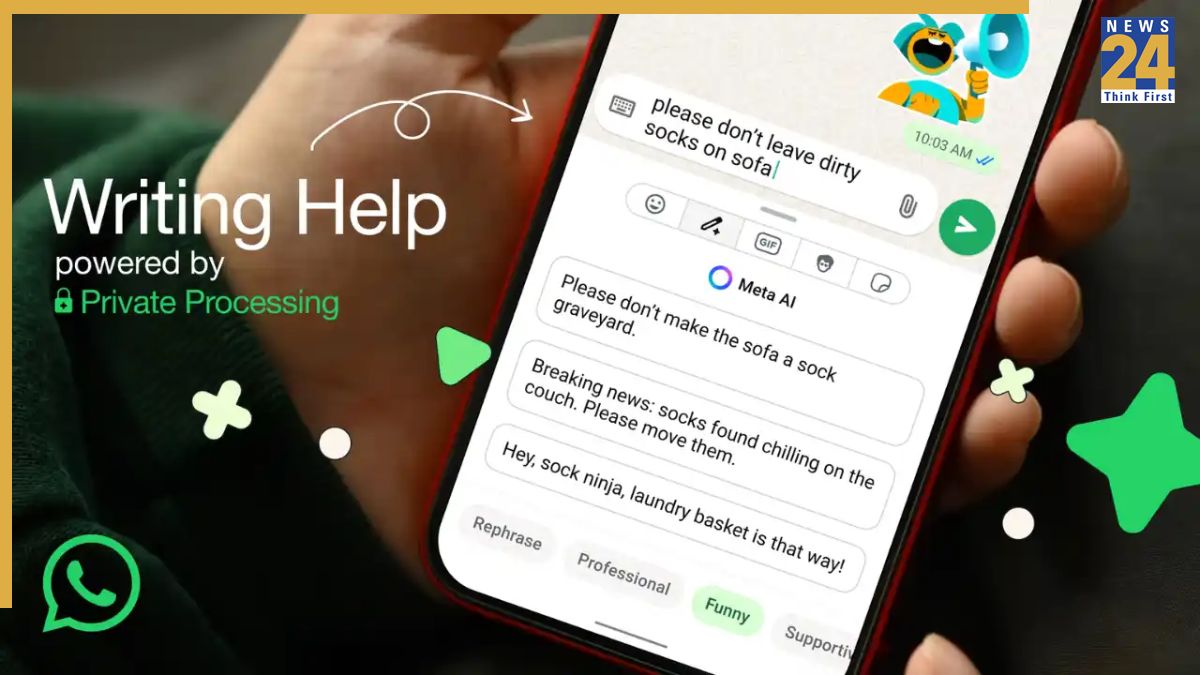


WhatsApp ‘Writing Help’ Feature: In what could be termed a game-changer in messaging on WhatsApp, the Meta-owned popular instant messaging platform has introduced a new AI-powered feature called ‘Writing Help’. The feature helps users refine the tone and style of their texts while fully safeguarding their privacy. Meta’s Private Processing technology powers the feature, which provides suggestions to rephrase messages in different tones, including professional, funny, or supportive.
“It’s our latest AI feature, powered by Private Processing, that keeps your messages completely private. You can review the suggestions from AI in various styles, such as professional, funny, or supportive, that you can select or continue editing to deliver that perfect message,” said the company.
WhatsApp ‘Writing Help’ Feature: What Is It?
The Writing Help feature has been designed to help users refine the tone and style of their messages. Meta’s Private Processing technology ensures that neither Meta nor WhatsApp can access your original message or the AI-generated suggestions. Independent security researchers have analysed the technology, and it has passed audits that validate Meta’s privacy claims.
“For those interested in learning more about the technical details behind Private Processing, we invite you to read our engineering blog and technical white paper that explains how this and other features we’re building work,” said the company.
WhatsApp ‘Writing Help’ Feature: Availability
According to WhatsApp, the feature is completely optional and comes disabled by default. Users can enable it from the settings if they wish, giving them full control. Regarding availability, Meta says the feature is initially rolling out in English across the United States and selected countries. It is expected to expand to more languages in other regions later this year.
WhatsApp ‘Writing Help’ Feature: How To Use
Using the new WhatsApp feature is simple. As you start drafting your message in a group or one-on-one chat, you will notice a pencil icon. Once you tap or click it, a pop-up opens, providing alternate versions of your message. You can either send your text as is or tweak it further until it feels perfect. With this feature, WhatsApp aims to enhance the messaging experience and reduce the time-consuming task of finding the right words.
ALSO READ: WhatsApp Testing Voicemail Feature – Missed A Call? Soon, Screen Recorded Messages And Reply Later!