

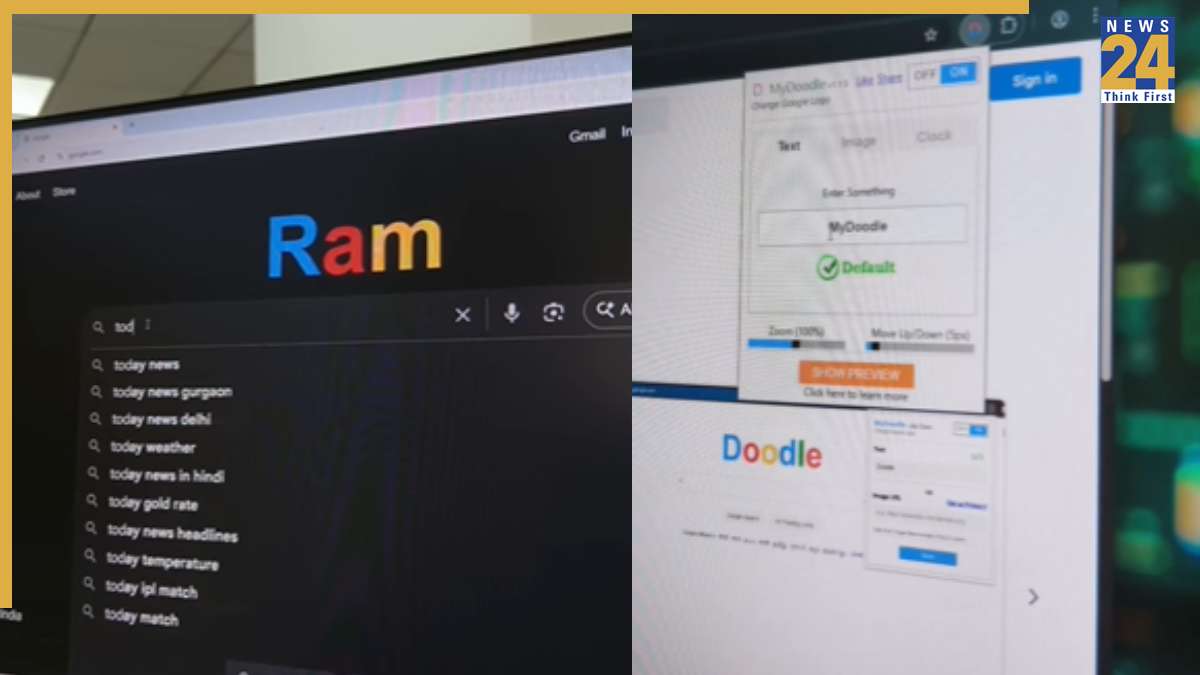


The ever-emergent Google logo is a constant on all device screens, but what if you could change it to showcase any name or doodle you want? With this simple trick, you can easily modify the Google moniker to display any text or logo of your choice. This neat customization will help you stand out and surprise others with your personalized Google logo.
How to Change the Logo
To try this out, just search “My Doodle” in the Google search bar. You’ll be directed to an extension that you can add to your browser. Once installed, open the extension settings, type in your name, and customize the logo as you like.
After making the changes, the Google logo will display the text you entered, and you can tweak a few other details to make it stand out even more. Keep in mind that this only works on Google Chrome, as the extension won’t function on other browsers.
To further enhance the overall look of your Google Chrome, you can also apply Google themes, which allow you to personalize the appearance of your Chrome profile. With these themes, users can choose from different colorways and adjust the settings to ensure their Chrome profile stands out and is optimized for their usage.