
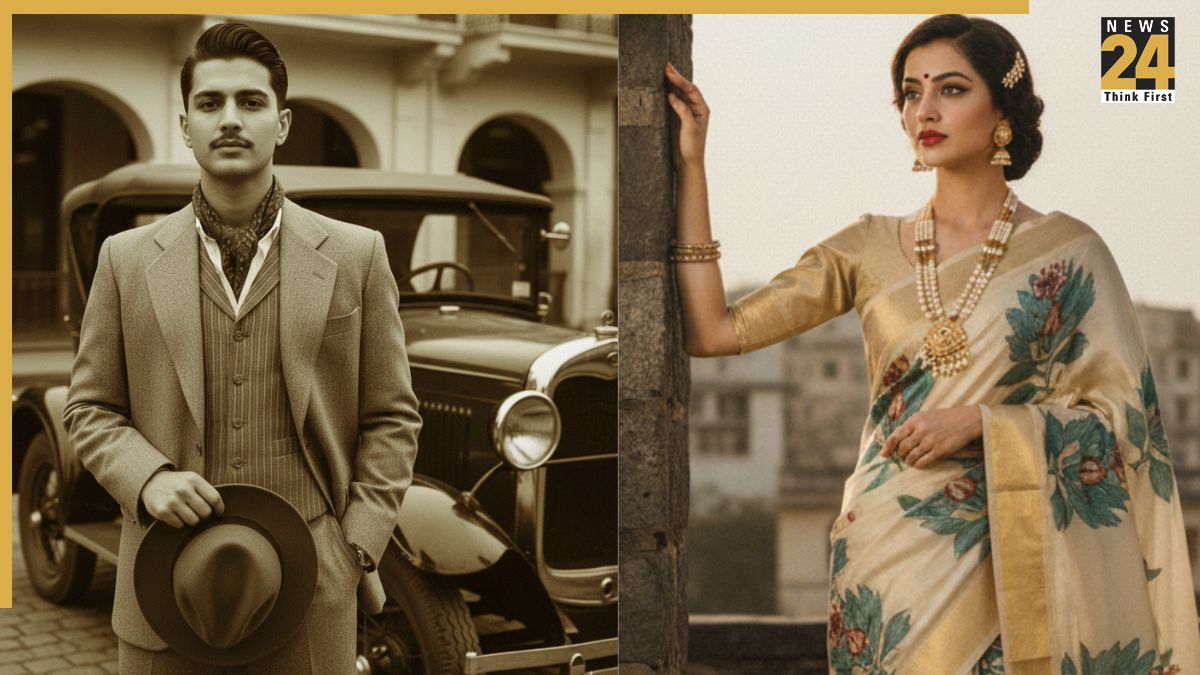


Retro edits on the Google Gemini Nano Banana AI tool continue to go viral on social media, and vintage style never goes out of fashion. Soft film textures, warm tones, and a touch of old-school charm make photos stand out online. Boys should go for warm amber, teal shadows, and gritty grain to get a rugged retro feel, while girls should try pastel fades, light leaks, and gentle bloom to get a dreamy elegance.
We’ve put together 20 Google Gemini AI Photo Editor prompts you can copy and paste right away, along with a simple step-by-step guide to turn any portrait, street shot, or birthday pic into a classic retro look in minutes.
Copy and Paste Gemini AI Prompts for girls
1. Vintage Floral: “Soft vintage floral portrait, muted pastels, film grain, gentle bloom, analogue color fade.”
2. Retro Glam: “Old Hollywood glam, soft grain, warm tungsten glow, film vignette, subtle skin smoothing.”
3. Boho Retro Portrait: “Boho vintage edit, earthy tones, light leaks, film grain, soft contrast, dreamy feel.”
Copy and Paste Gemini AI Prompts for boys
4. Vintage Skate Park: “Retro skatepark action, faded colors, film grain, motion blur, sun flare.”
5. Retro Denim Cool: “Retro denim style, sun flare, warm orange teal split tone, light grain, casual urban background.”
6. Vintage Sports Action: “1970s sports photo, motion blur, warm grain, slightly desaturated, high contrast.”
Copy and Paste Gemini AI Prompts for both
7. Grainy Monochrome: “High-contrast black and white, heavy film grain, deep blacks, textured paper feel, dramatic lighting.”
8. Old Cinema Poster: “Retro cinema poster edit, posterized colors, warm film texture, vignette, bold title space.”
9. Sunset Film Roll: “Golden hour film roll look, soft highlights, light leaks, faded blacks, nostalgic mood.”
10. Dusty Film Archive: “Film archive style, dust & scratches overlay, faded color, curled photo corners, authentic aged paper tone.”
11. Classic 1970s Portrait: “Vintage 1970s portrait, warm sepia tones, soft film grain, slight vignette, faded edges, cinematic crop.”
12. Kodachrome Street Style: “Kodachrome film look, saturated reds and yellows, high contrast, natural skin tones, subtle film scratches.”
13. Polaroid Weekend: “Polaroid instant photo, white border, soft focus, pastel cast, slight overexposure, handwritten date at bottom.”
14. Muted Pastel Retro: “Muted pastel palette, low saturation, soft matte finish, film grain, cozy aesthetic.”
15. Analog Portrait with Border: “35mm frame look, black film border, slight lens flare, warm midtones, textured grain.”
16. Neon 80s Throwback: “1980s neon retro, cool magenta and cyan highlights, soft glow, VHS-like noise.”
17. Rustic Polaroid Picnic: “Outdoor polaroid vibe, sun-washed colors, soft grain, instant film border, handwritten caption area.”
18. Classic Sepia Family: “Sepia toned family portrait, warm brown hues, gentle vignette, soft focus, aged paper feel.”
19. Retro Travel Postcard: “Travel postcard style, slightly faded map tones, film grain, rounded corners, text space.”
20. HS Throwback Night Shot: “VHS aesthetic, chromatic aberration, scan lines, soft grain, moody neon lighting.”
Quick and mobile-friendly step-by-step process
Choose the right photo. Pick a clear, high-resolution portrait or scene where the main subject stands out. Retro edits look best with simple backgrounds and good lighting, like during golden hour or in a well-lit studio.
Paste the prompt. Open Gemini’s photo editor and enter one of the prompts above into the style or description box, keeping your original photo selected.
Choose the right size and crop your photo. For social posts, go with 4:5 (portrait) or 1:1, and for headers, use 16:9. Make sure the composition looks good before adding heavy edits.
Adjust the effect. Begin with 50–70% strength so the edit improves your photo without losing details. Turn it up if you want a stronger, more vintage look.
Adjust color and grain. Add a little grain (10–25%) for a natural retro feel. Boost warmth by 10–20 for a sepia tone, reduce saturation for soft pastel looks, and finish with a subtle vignette and a touch of midtone contrast.
Add overlays. If the options are there, include dust, scratches, light leaks, borders, or Polaroid frames. Keep them subtle- real vintage photos have small imperfections, not too much noise.
Retouch with care. Avoid heavy skin smoothing-vintage photos keep natural texture. For a polished look, gently soften shadows and lightly reduce blemishes.
Sharpen and save. Apply a little sharpening (10–15) to keep the film-like texture. Export as a high-quality JPEG or WebP, using 1200×675 for featured images or 1080×1350 for Instagram portrait posts.
Add captions and tags. Try something like “Retro vibes ✨ #GeminiAI #VintageEdit #FilmLook” and include alt text describing the photo and style, for example, “Sepia portrait with warm film grain and vintage border.”