
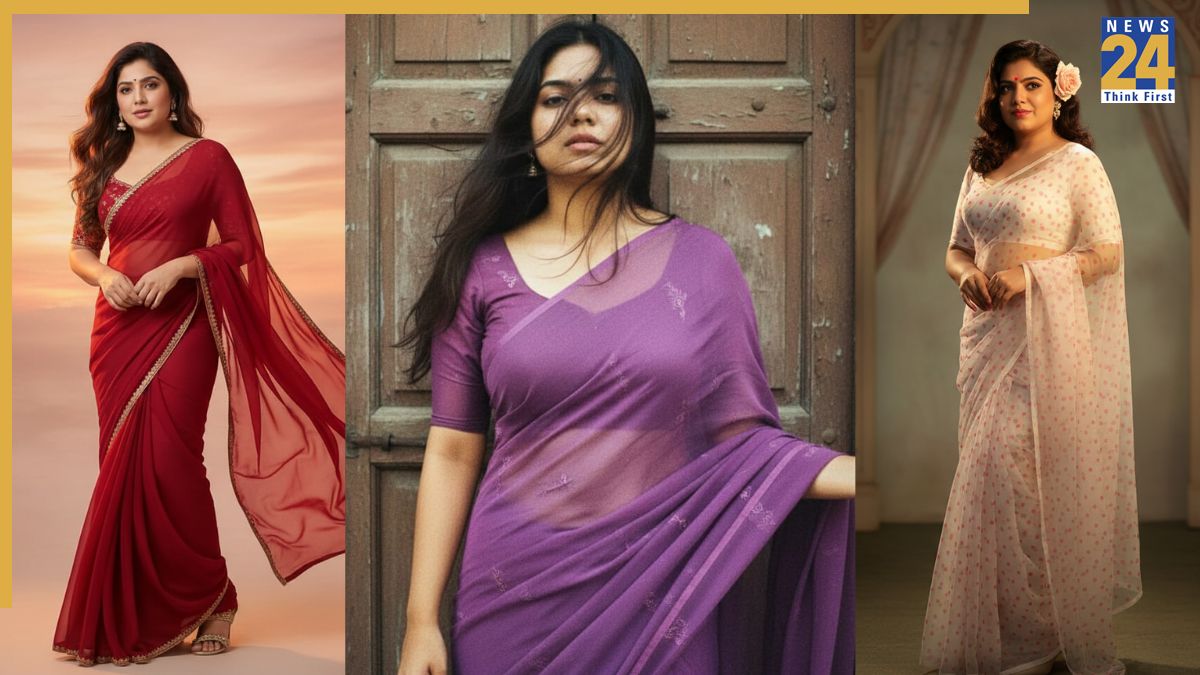


The Google Gemini AI Nano Banana saree trend is breaking the internet, with reels going viral on Instagram and Facebook. Women are posting their retro Bollywood looks, and everyone wants to join in and share their photos. However, getting realistic images with your own facial features depends on the prompts you use in Gemini’s Nano Banana tool. With the right prompts, you can turn your picture into a Bollywood-style portrait.
Google Gemini AI Nano Banana saree trend: Top 8 prompts
1. “Turn this person into a 90s retro-inspired portrait wearing a shimmering black chiffon saree. The background is a deep wall with dramatic shadows, lit by golden-hour tones. Expression is calm yet mysterious, evoking old Bollywood posters.”
2. “Create a realistic portrait of a woman in a translucent white polka-dot saree with matching blouse. A soft pink flower is tucked behind her ear, and warm light from the side casts a cinematic shadow. She exudes vintage diva energy.”
3. “Transform the subject into a classic Bollywood heroine in a flowing red chiffon saree, hair styled in soft waves. Background should be warm-toned, minimalist, with glowing sunset light giving a romantic and dramatic mood.”
4. “Reimagine this photo in a retro, grainy yet bright style. The subject wears a purple chiffon saree with a playful, moody vibe. She stands in front of an old wooden door as wind blows through her hair, evoking a 90s cinematic scene.”
5. “Convert this person into a timeless portrait draped in a golden Banarasi saree, with a flower tucked into the hair. The lighting is golden and artistic, casting a soft glow. The background is textured but simple, like an art-house poster.”
6. “Turn the uploaded photo into a cinematic 90s Bollywood rain sequence. The subject wears a dark saree, drenched and glistening, with dramatic rain falling in the background. Lighting is moody and romantic, capturing monsoon nostalgia.”
7. “Create a vintage pastel saree look — soft pink drape, hair tied in a bun, minimal jewellery. She is seated on the grass at a dreamy outdoor picnic scene, captured in soft film grain with a romantic glow.”
8. “Reimagine this person as the star of a 1990s Bollywood movie poster. Bold typography behind her, spotlight lighting, and a vibrant saree in neon or metallic shades. Expression is intense, cinematic, and larger than life.”
Meanwhile, you can upload photos of objects, people, or pets and get a 3D figurine for free. What’s making the trend even bigger is that you can also turn these Nano Banana-generated 3D images into videos using other free tools like Grok and Kling AI. Unlike platforms such as OpenAI’s Sora or Google’s Veo 3, Grok and Kling let you animate your creations at no cost. Here’s how to do it:
Google Gemini AI Nano Banana saree trend: How to convert your 3D figurines into videos for free
Using Grok AI
-Open the Grok app on your smartphone or web browser or use X (formerly Twitter).
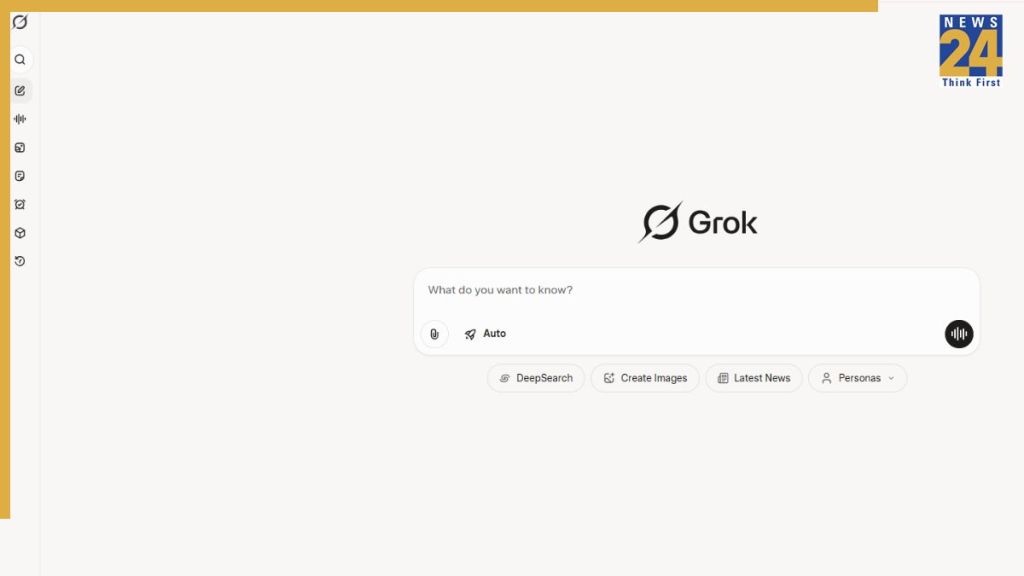
-Now, look for the “Imagine” section on the left side menu, and click on it.

-Now, upload your 3D model generated by Nano Banana and tap or click on “Make Video”.
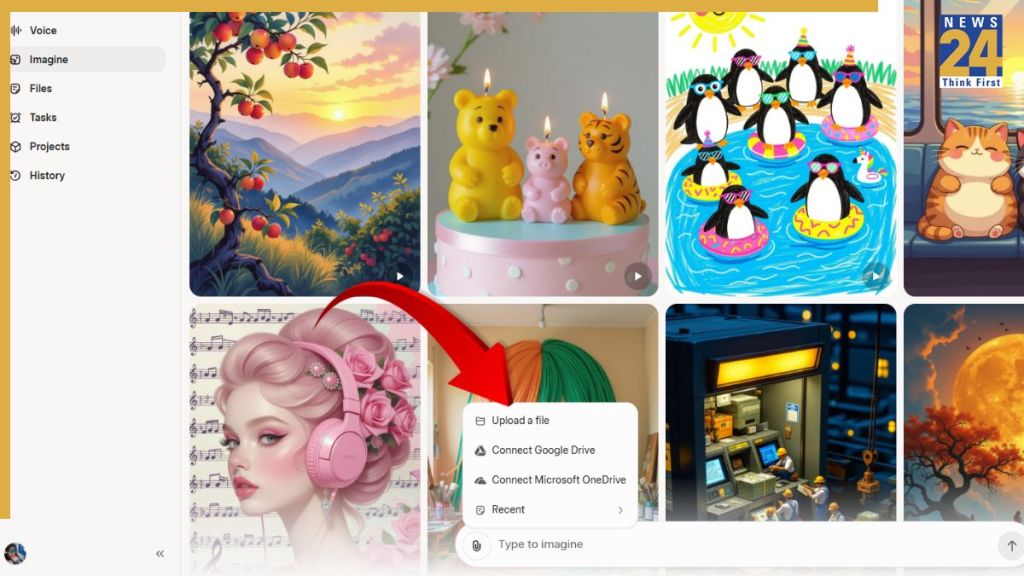
-Your video will appear in a few seconds, along with a sound clip in the background.
-If you are not happy with the result, you can ask Grok to redo it. And if you are satisfied, you can download it and share it with your friends and family.
Well, I created my own video on Grok using my Nano Banana-generated images. Have a look:
Using Kling AI
-Launch the Kling AI app on your smartphone or visit the website on web browser.
-Now, sign in using your email address or Gmail account.
-In the left corner, find the video option and tap on it.
-Now, upload your image along with a prompt to convert it into a video.
You can use the prompt given below:
“Keep the figurine mostly static with subtle life touches—blinking, slight breathing, minimal hand movement. Animate the camera around the figurine in smooth cinematic motion: gentle pans, zoom-ins, rotations, and depth-of-field shifts. Place the figurine in a realistic, well-lit room with soft shadows and reflections. Ensure lighting and perspective feel natural, emphasizing the 3D form.”
Gemini AI image generator free: How to generate yours for free
Here is a step-by-step guide to creating your Nano Banana 3D figurine for free, and the prompt that will help you generate the perfect one:
Log on to the Gemini 2.5 Flash Image (Nano Banana) portal, if using web browser.
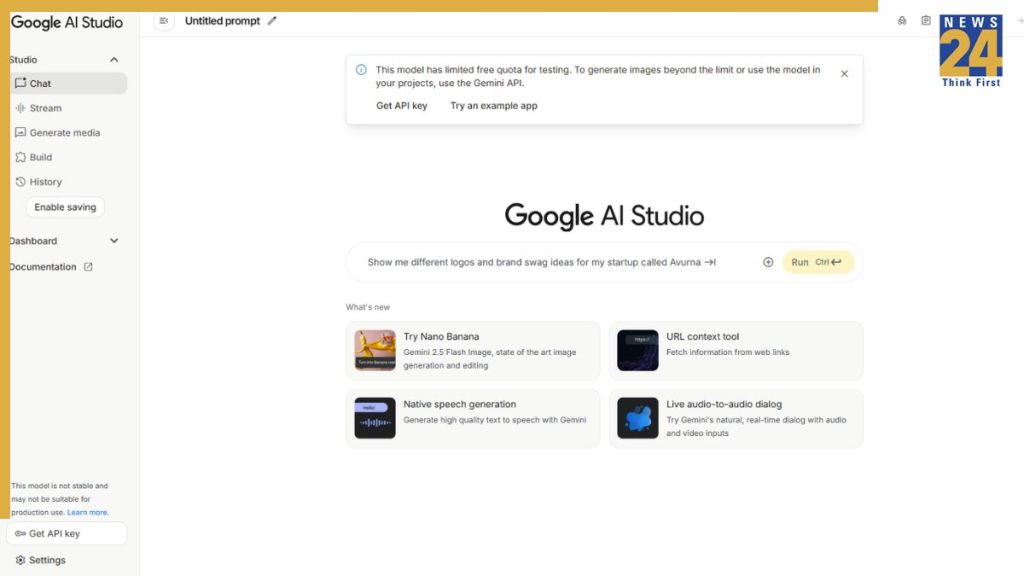
Alternatively, you can go to the Gemini app if it is installed on your iPhone or Android device.
Now, click or tap on “Try Nano Banana”
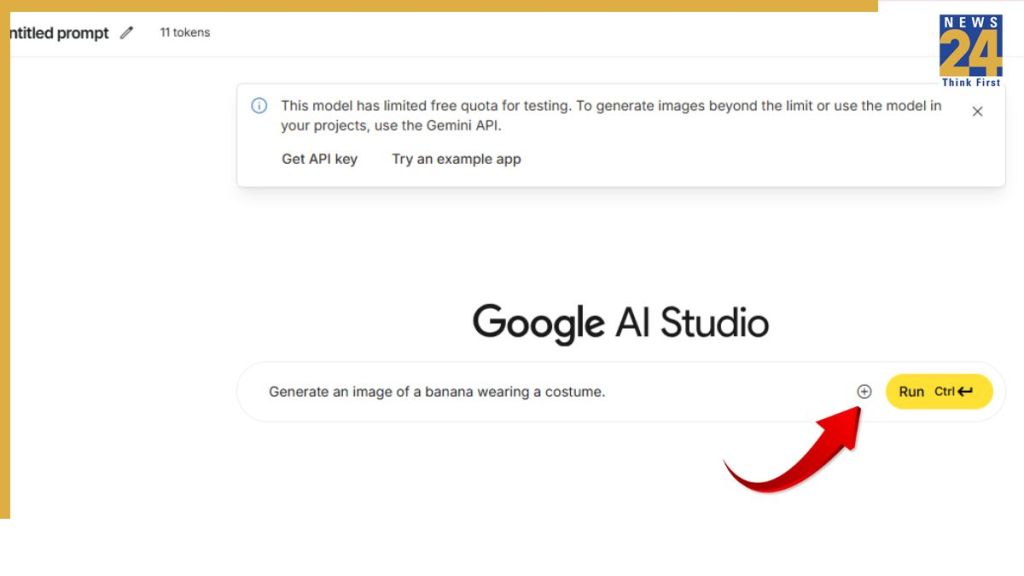
Click or tap on the + sign to add an image.

Now, paste the following Nano Banana 3D figurine prompt:
Create a 1/7 scale commercialized figurine of the characters in the picture, in a realistic style, in a real environment. The figurine is placed on a computer desk. The figurine has a round transparent acrylic base, with no text on the base. The content on the computer screen is a 3D modeling process of this figurine. Next to the computer screen is a toy packaging box, designed in a style reminiscent of high-quality collectible figures, printed with original artwork. The packaging features two-dimensional flat illustrations.
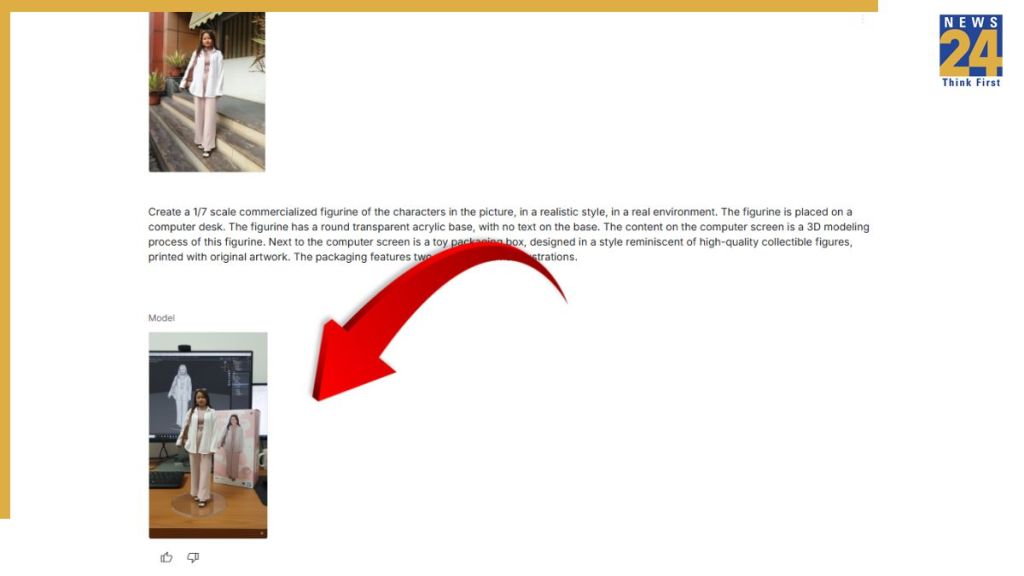
Now, press “Enter”and the AI model will generate 3D figurine based on your image. You can download it and share with your friends and family on social media to join the viral trend.
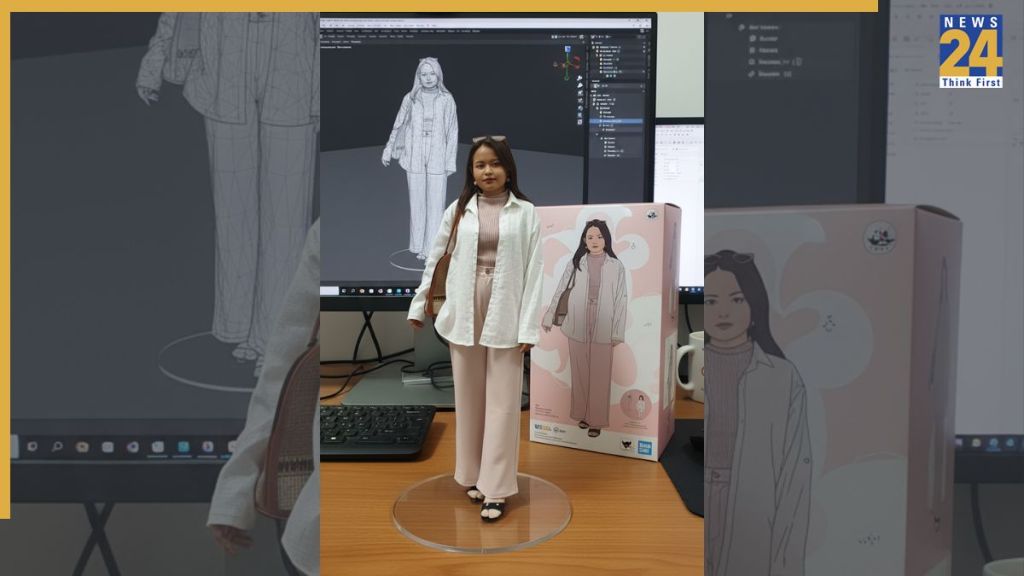
So, that was our quick step-by-step guide to help you create the 3D figurines for free. Go flaunt yours to your friends and join the viral trend.
ALSO READ: What Exactly Is the ‘Nano Banana’ Trend and Why Is It Blowing Up Online?