
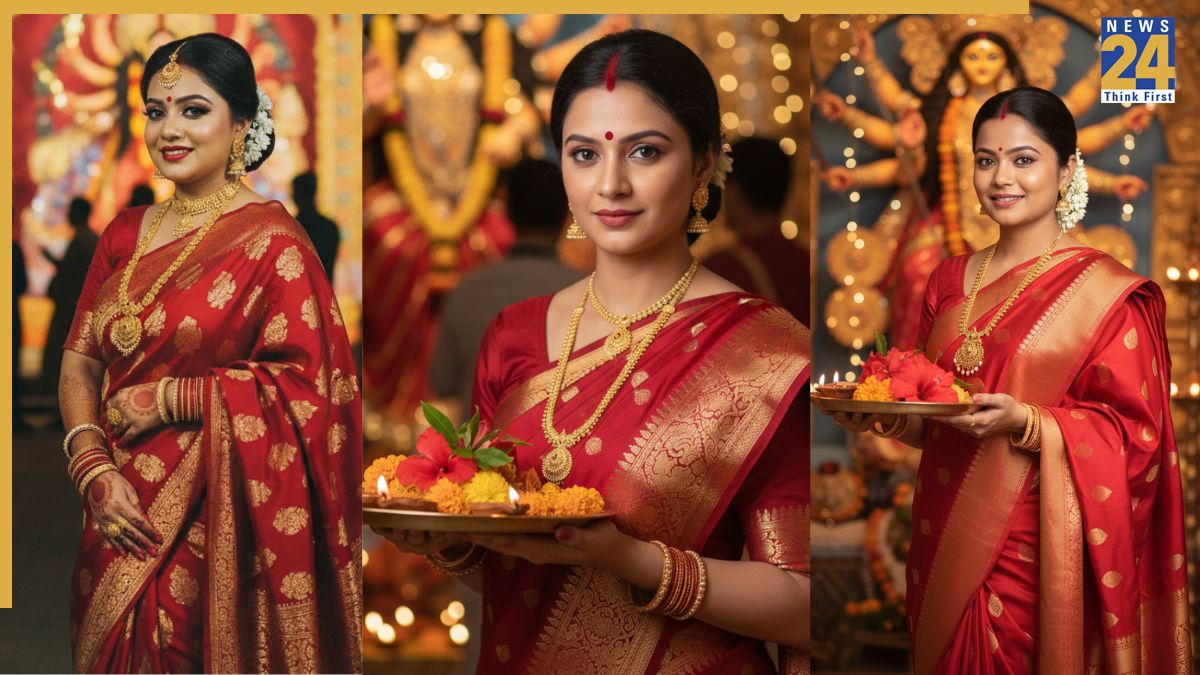


Google Gemini AI Nano Banana saree: After retro Bollywood-style images went viral on social media, Google Gemini’s Nano Banana AI sparked yet another viral photo trend. People are now using the popular tool to generate stunning Durga Puja festive looks, reimagining themselves in traditional outfits, bold jewellery and dramatic backdrops.
If you also want to create yours, all you need is the Gemini app, where you can upload your image, feed a prompt describing the festive look you want, and the tool will create a dazzling portrait that you can share with your friends and family. Here’s how to do it:
Google Gemini AI Nano Banana Durga Puja saree look: Steps
-Log on to the Gemini 2.5 Flash Image (Nano Banana) portal, if using web browser.
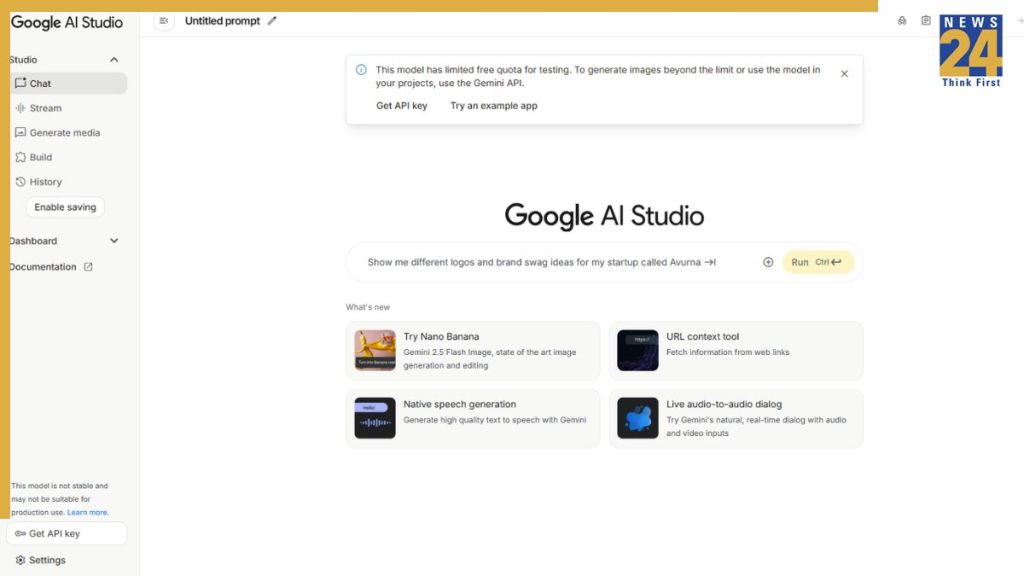
-Alternatively, you can go to the Gemini app if it is installed on your iPhone or Android device.
-Now, click or tap on “Try Nano Banana”
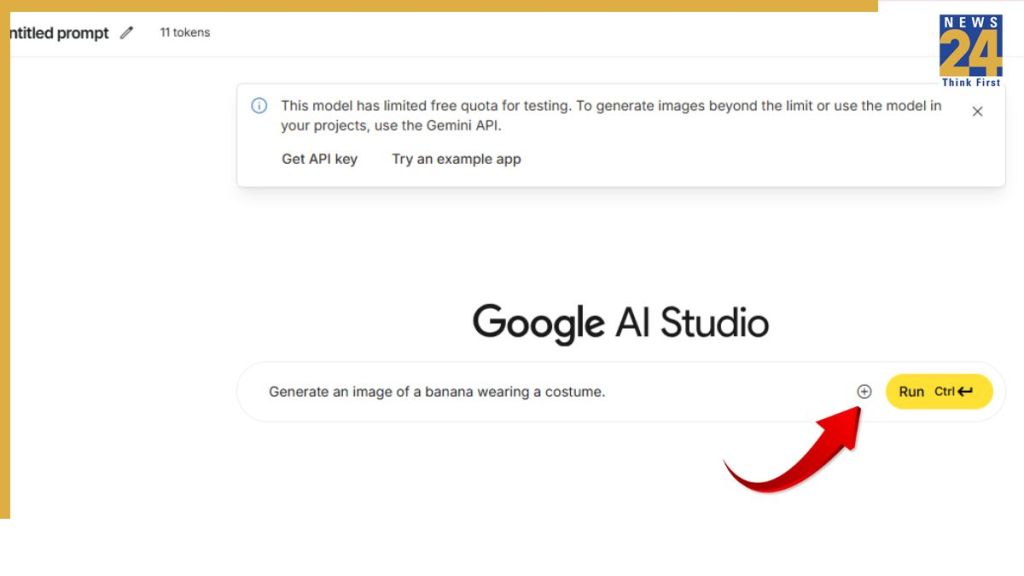
-Click or tap on the + sign to add an image.

Now, enter a prompt along with the image
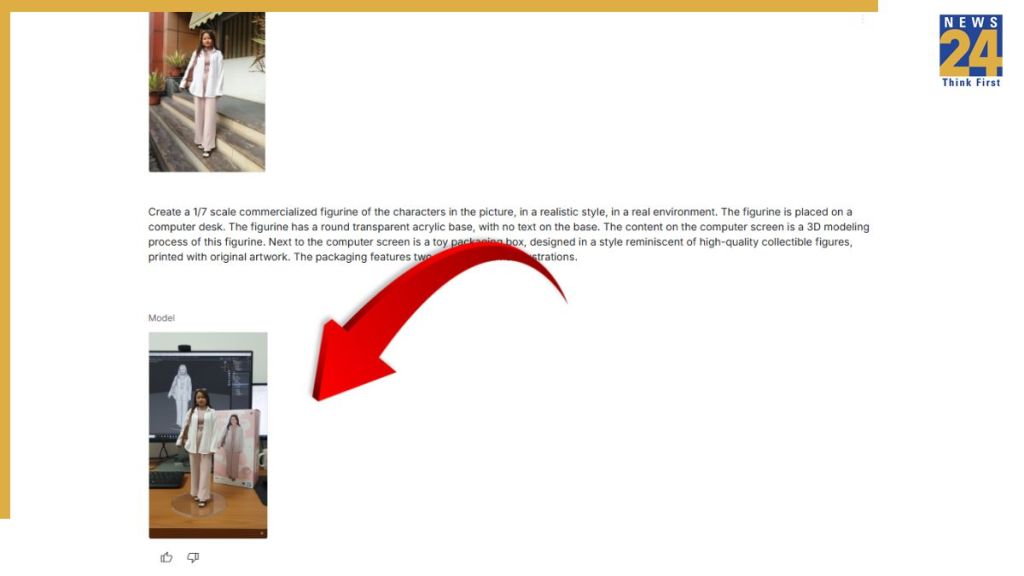
Now, press “Enter”and the AI model will generate 3D figurine based on your image. You can download it and share with your friends and family on social media to join the viral trend.
Google Gemini AI Nano Banana Durga Puja saree look: Prompts
1. Create a 4K HD realistic Durga Puja portrait. Woman wearing a red and white saree with traditional jewellery and festive makeup. Background should have diyas and a temple-style backdrop with soft golden lighting. Add subtle film grain for a cinematic effect.
2. Create a retro vintage grainy but bright image of the reference picture draped in a perfect off white saree with red border with little red prints on the saree. It must feel like a 90’s movie with straight wavy hair and windy environment. Background should have Durga maa statue in a pandal and contrast drama, creating a mysterious and artistic atmosphere. I want same face as l uploaded no alteration.
3. Create a 4K HD portrait of a woman in traditional saree during Durga Puja. She is wearing intricate gold jewellery, with a red bindi, and holding a decorated plate with flowers. Background should include blurred Durga maa statue with lights and diyas.
4. Generate a cinematic Durga Puja look. Woman wearing a saree with red and gold patterns, styled hair, and festive makeup. Background should have a durga puja pandal with warm glowing lights. Add soft film grain and slight blur for realism.
5. Create a 4K HD portrait capturing the spirit of Durga Puja. Woman in a red and white saree with gold borders, adorned with simple jewellery. Background filled with durga puja decorations. Keep background plain, retro-textured with subtle film grain for cinematic effect.
ALSO READ: Google Gemini AI Nano Banana saree trend – Top 8 prompts to get a retro Bollywood look